I own a [TYPE OF BUSINESS] called [BUSINESS NAME].

Here are my details:
- Address: [FULL STREET ADDRESS, CITY, STATE ZIP]
- Phone: [PHONE NUMBER]
- Website: [YOUR WEBSITE URL]
- Email: [BUSINESS EMAIL]
- Business hours: [e.g., Mon-Fri 9am-5pm]
- Main services (list 2-3): [SERVICE 1, SERVICE 2, SERVICE 3]
- Typical price range for my main service: [e.g., $50-$150 per session]
- Booking process (how do customers book? walk-in OK? appointment-only?): [DESCRIBE]
- What happens at a first-time visit (1-3 sentences): [DESCRIBE]

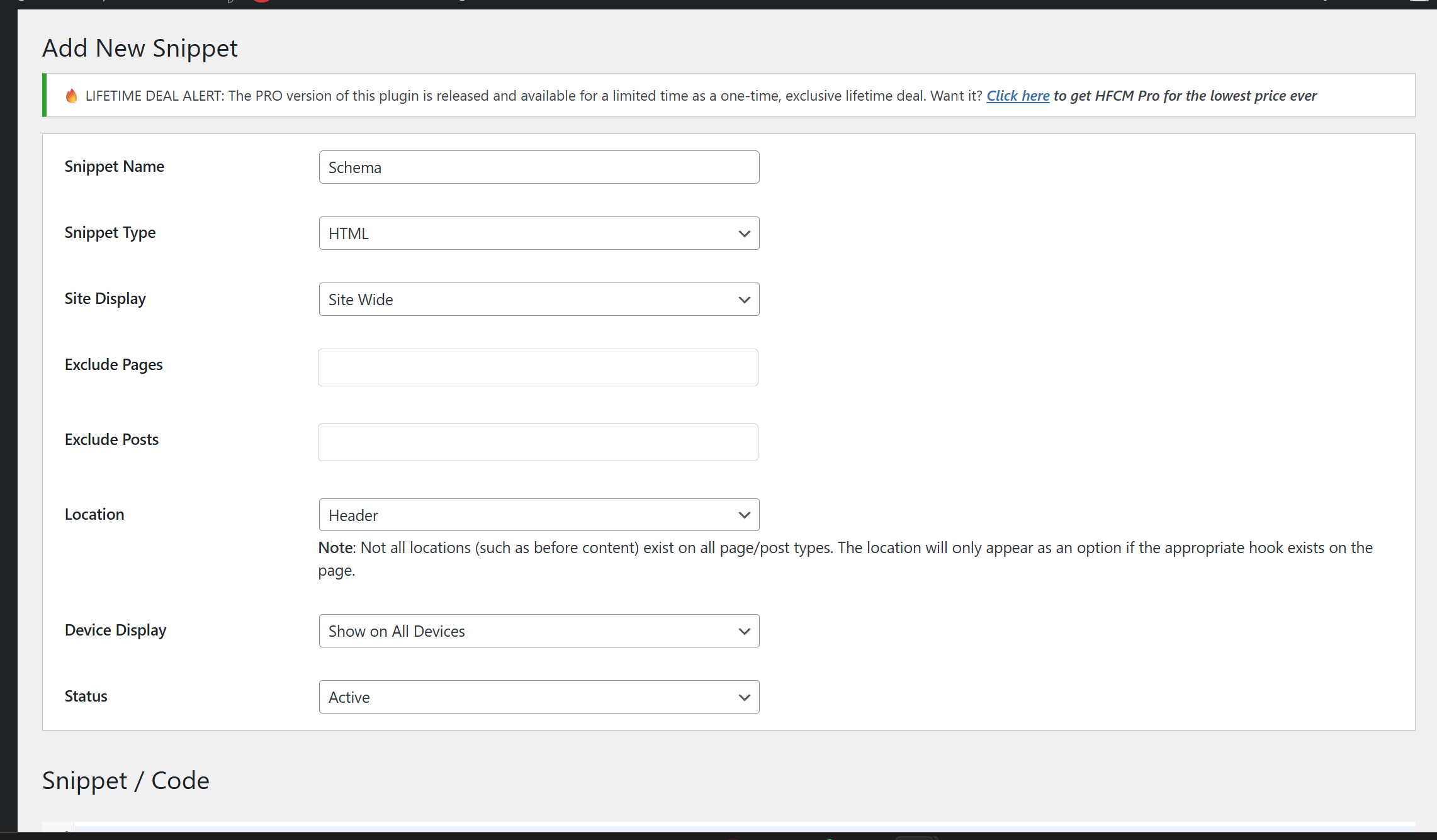
Generate FIVE JSON-LD structured data blocks for my website. Each block should be inside its own <script type="application/ld+json"> tag, with NO comments inside the JSON. They should be ready to paste into my website's <head> section.

BLOCK 1 — LocalBusiness schema
Include my name, address, phone, website, email, hours, geographic coordinates, area served, and a 2-sentence description of what we do.

BLOCK 2 — Organization schema
Include my business name, website, logo URL (use [WEBSITE]/logo.png as placeholder), contact point, and any social media URLs I provide: [LIST ANY SOCIAL LINKS]

BLOCK 3 — FAQPage schema, Template 1: PRICING
Build a FAQPage block with one Question/Answer pair using my actual pricing info. The question should sound like how customers actually ask (e.g., "How much does [my main service] cost in [my city]?"). The answer should be 40-80 words, include a concrete price range, my city name, and what's included. Use the conversational tone of an experienced shop owner answering a real customer — not marketing copy.

BLOCK 4 — FAQPage schema, Template 2: AVAILABILITY
Build a FAQPage block with one Question/Answer pair about booking and availability. The question should match how customers ask (e.g., "Do you take walk-ins at [my business] in [my city]?"). The answer should be 40-80 words, name my hours specifically, name my city, and state the booking process clearly. Same conversational tone.

BLOCK 5 — FAQPage schema, Template 3: WHAT TO EXPECT
Build a FAQPage block with one Question/Answer pair about the first-visit / first-session experience. The question should be customer-voiced (e.g., "What should I expect at my first [appointment/session/visit] with [my business]?"). The answer should be 40-80 words, walk through what actually happens, and include any expertise or process detail that differentiates my business.

For each FAQPage block, add a one-line HTML comment ABOVE the <script> tag (outside the JSON) explaining how to add more Q&A pairs by copying the "mainEntity" object pattern. The user can then expand each template to as many FAQs as they want.

After all five code blocks, provide a "VERIFY CHECKLIST" — a numbered list of every value you estimated or used as a placeholder (coordinates, logo URL, founding date, price ranges, etc.). For each item, tell me exactly how to find or confirm the correct value.

Then give me a 3-sentence explanation of what these five blocks do for my AI visibility together.

Finally, tell me to validate my schema at https://validator.schema.org (NOT Google Rich Results Test, which doesn't show results for LocalBusiness or FAQPage markup the same way).